
 English

How to Protect Your Laptop and Smartphone From AI-Powered Scams

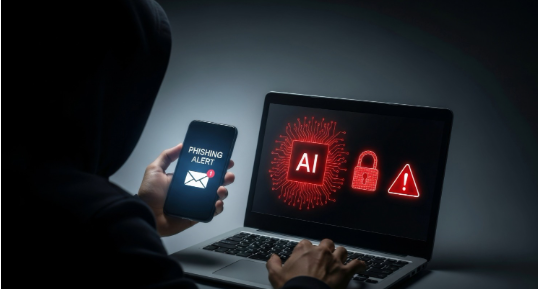
A phone call from a family member asking for money, a delivery message requesting a small payment, or an email that appears to come from your bank can seem perfectly genuine. However, scammers can now use artificial intelligence to create convincing messages, imitate familiar voices, and produce fake identities that are harder to recognise at first glance.
These AI-powered scams target everyday habits. People trust familiar voices, open messages from known contacts, and download files they believe are safe. Criminals exploit these behaviours to steal passwords, access financial accounts, or install harmful software on personal devices.
The good news is that you do not need advanced technical knowledge to protect yourself. A few practical habits, combined with updated software and strong account security, can reduce your risk considerably.
This guide explains how AI-powered scams work, what warning signs to look for, and how to protect your laptop and smartphone without making everyday technology difficult to use.
What Are AI-Powered Scams?
AI-powered scams are fraudulent activities that use artificial intelligence to make deception more convincing, easier to personalise, or faster to carry out. Scammers may use these tools to write realistic phishing messages, imitate voices, create fake images, or produce convincing conversations that encourage people to share confidential information.
Traditional scams often contain obvious spelling mistakes, awkward wording, or suspicious requests. AI tools can help criminals avoid some of these warning signs. A fraudulent email may sound professional, while a fake message may refer to your name, workplace, recent purchase, or a service you use.
For example, you might receive a message claiming that your bank account will be restricted unless you verify your details immediately. The message may use familiar banking terminology and direct you to a website that closely resembles the real one.
The underlying objective remains the same: to persuade you to reveal information, transfer money, approve access, or install something unsafe.
AI does not make every scam sophisticated, nor does every unusual message involve AI. The important point is to verify unexpected requests rather than relying on how genuine they appear.
5 Common Types of AI-Powered Scams
1. Fake Voice Calls and Voice Cloning
Voice cloning allows someone to create an artificial version of a person’s voice using audio samples. Depending on the available material and technology, a scammer may produce speech that resembles a family member, colleague, manager, or public figure.
Imagine receiving a call from someone who sounds like your brother. They claim to have lost their phone, been involved in an accident, or become stranded somewhere. They ask you to send money immediately and insist that you should not contact anyone else.
The familiar voice can make the request feel trustworthy. The pressure to act quickly makes it harder to stop and think.
How to protect yourself:
- End the call and contact the person using a phone number you already have saved.
- Ask a question that only the real person is likely to answer, but do not treat this alone as proof of identity.
- Agree on a family verification phrase that is not shared publicly or posted online.
- Never transfer money solely because a familiar voice requests urgent help.
- If someone claims to represent a bank, police department, employer, or government office, verify the request through an independently obtained official contact number.
A familiar voice is a useful clue, but it is not reliable proof of identity. Independent verification is the safer choice.
2. AI-Generated Phishing Emails and Messages
Phishing occurs when criminals impersonate a trusted organisation or individual to obtain sensitive information. AI tools can help them write fluent messages, tailor the wording to specific recipients, and produce multiple versions of the same scam.
These messages may arrive through email, SMS, messaging apps, or social media. Common examples include fake bank alerts, delivery notifications, subscription renewal warnings, job offers, and account security messages.
A message might claim that a parcel cannot be delivered until you pay a small fee. The link leads to a fake payment page that collects your card details. Another message may imitate a cloud storage provider and ask you to sign in to prevent account suspension.
Warning signs to check:
- An unexpected request to verify a password, payment method, or account.
- A link whose domain does not match the organisation’s official website.
- An attachment you were not expecting.
- A demand for immediate action or threats of account closure.
- Requests for one-time passwords, recovery codes, or confidential business information.
Grammar and spelling are no longer dependable ways to identify every phishing attempt. A polished message can still be fraudulent.
How to protect yourself:
Do not open links simply because a message looks professional. Visit the company’s official website directly or use its verified application. If the message claims there is a problem with your account, check it independently.
Avoid sharing passwords or one-time passwords through messages or calls. Legitimate support staff should not need you to disclose your account password or authentication codes.
3. Cloned Identities on Social Media and Messaging Apps
Scammers can combine publicly available photographs, copied profile details, and fabricated content to create fake identities. They may impersonate a friend, relative, recruiter, company representative, or public figure.
Some accounts copy an existing person’s name and photograph. Others use manipulated images or fabricated profiles to appear credible. A scammer may contact you from a new account claiming that their old account has stopped working.
These profiles can be used to request money, promote fraudulent investments, collect personal information, or send malicious links.
How to protect yourself:
- Verify unusual requests through another channel, especially when money or confidential information is involved.
- Check whether the account has a consistent history, genuine interactions, and an established identity.
- Be cautious when a familiar contact suddenly changes their payment details or asks you to keep a transaction secret.
- Avoid sharing identity documents, financial details, or private photographs with unverified accounts.
- Report impersonation to the relevant platform and warn mutual contacts if necessary.
Profile photographs, follower counts, and convincing personal details are not sufficient proof that an account belongs to the person it claims to represent.
4. Malicious Downloads and Fake Software Updates
A scam does not always begin with a request for money or personal information. Sometimes the objective is to get harmful software onto your laptop or smartphone.
Criminals may distribute files disguised as invoices, job application documents, photo editors, mobile applications, browser extensions, or software updates. They may also advertise fake security tools that claim to remove viruses or improve device performance.
Opening an unexpected attachment or installing an application from an untrusted source can expose your device to malware. Depending on the software and permissions granted, it may steal information, monitor activity, display fraudulent alerts, or provide unauthorised access.
How to protect yourself:
- Download applications from official stores or the software developer’s verified website.
- Install operating system and application updates through the device’s built-in update settings.
- Avoid software advertised through unsolicited messages, pop-ups, or suspicious download pages.
- Check the publisher, requested permissions, and user reviews before installing an application.
- Keep built-in security protections enabled and use reputable security software where appropriate.
- Do not enable macros, install unknown configuration profiles, or grant accessibility permissions just because an unfamiliar application requests them.
On a Windows laptop, Microsoft Defender provides built-in protection when configured and kept up to date. On Android, Google Play Protect can check applications for potentially harmful behaviour. iPhones also benefit from Apple’s built-in security controls and timely iOS updates.
No security tool catches every threat. Safe download habits remain important even when your device has protection enabled.
5. Fake Customer Support and Account Recovery Scams
Scammers may pose as technical support agents from a bank, internet provider, software company, or device manufacturer. They can use professional scripts and convincing explanations to persuade victims that their accounts or devices are in danger.
A caller might claim that your laptop has been infected and ask you to install a remote-access application. Another scammer may send a message offering to recover a hacked social media account in exchange for a fee or your login credentials.
The real objective may be to gain control of your device, steal passwords, access financial information, or demand payment for a problem that does not exist.
How to protect yourself:
- Do not trust unsolicited calls claiming that your device has a serious technical problem.
- Never grant remote access to someone whose identity you have not independently verified.
- Contact the provider through its official website or the support details in its genuine application.
- Never share recovery codes, passwords, or one-time passwords with someone claiming to help.
- Be wary of anyone demanding cryptocurrency, gift cards, or immediate payment to resolve an alleged security issue.
If you need technical assistance, initiate contact yourself. This makes it easier to confirm that you are dealing with the genuine provider.
How to Protect Your Laptop From AI-Powered Scams
Your laptop may contain saved passwords, work documents, personal photographs, financial records, and access to multiple online accounts. Protecting it requires more than installing antivirus software.
Keep Your Operating System and Applications Updated
Software updates often include security fixes for weaknesses that attackers could exploit. Delaying these updates can leave your device exposed to known vulnerabilities.
Enable automatic updates for your operating system, browser, and frequently used applications. Restart your laptop when necessary to complete an update, and avoid installing updates from links in unsolicited messages.
Use Strong, Unique Passwords
Reusing the same password across email, shopping, banking, and social media accounts creates a significant risk. If one service is compromised, criminals may try the same credentials elsewhere.
Use a password manager to create and store unique passwords for each account. Protect your main email account carefully because it can often be used to reset passwords for other services.
Enable multifactor authentication wherever it is available. An authenticator app or a passkey can provide stronger protection than a password alone. Hardware security keys are another option for accounts that support them.
Review Browser Extensions and Downloaded Files
Browser extensions can request access to information on websites you visit. Remove extensions you no longer use and review the permissions of those you keep.
Avoid installing extensions promoted through unsolicited messages or unfamiliar websites. Before opening a downloaded file, confirm that you expected it and trust its source. If a document asks you to enable additional content unexpectedly, close it and verify with the sender.
Secure Your Wi-Fi and Back Up Important Files
Use a strong password for your home Wi-Fi network and modern router security settings, such as WPA2-AES or WPA3 where supported. Change default router administrator credentials and install firmware updates when available.
Back up important files to a trusted cloud service or an external drive. Disconnect an external backup drive when it is not being used for backups, where practical. This helps reduce the chance that malware affecting your laptop will also damage every available copy of your files.
For additional practical advice, see this guide to hidden Windows 11 settings that improve performance.
How to Protect Your Smartphone From AI-Powered Scams
Smartphones are frequent targets because they combine messaging, email, banking, payments, photographs, and account recovery in one device. A few settings and habits can help reduce exposure.
Install Apps From Trusted Sources
Use the official Apple App Store or Google Play Store wherever possible. Check the developer’s identity, requested permissions, and whether the application genuinely needs access to your contacts, microphone, camera, location, or files.
Avoid installing applications through links sent by unknown contacts. On Android, be particularly cautious when an unfamiliar website asks you to install an APK file or enable installation from unknown sources. Do not bypass security warnings without a clear, trusted reason.
Review App Permissions
An application that provides a simple service may not need access to your contacts, microphone, or location at all times. Review permissions in your phone’s settings and remove access that is unnecessary.
If an application behaves suspiciously, repeatedly displays unexpected advertisements, or requests unusual permissions, investigate it before continuing to use it.
Enable Screen Locks and Device-Finding Features
Use a strong passcode or password and enable biometric unlocking if it suits your needs. Set your phone to lock automatically after a short period of inactivity.
Turn on Apple’s Find My or Google’s device-finding features where supported. These can help you locate, lock, or erase a lost device, depending on its settings and connectivity.
Keep your lock-screen notifications private if they might reveal one-time passwords or sensitive messages. Avoid displaying confidential information when the phone is locked.
Be Careful With QR Codes and Payment Requests
A QR code can direct you to a fraudulent website just as an ordinary link can. Before entering payment details, check the destination address and confirm that it belongs to the intended service.
Never assume that scanning a code is safe simply because it appears on a poster, package, or message from a familiar contact. Be especially careful if the page asks you to install an application, enter banking credentials, or approve an unexpected payment.
For more device-specific guidance, read our article on how to check if your phone is being tracked on Android and iPhone.
A Simple Daily Security Routine
You do not need to inspect every message for signs of fraud. A consistent routine can help you catch suspicious activity without making ordinary device use inconvenient.
When a message arrives: Check the sender and the request. If it involves money, passwords, an account warning, or a download, verify it independently.
Before clicking a link: Check the destination address. If the message claims to come from a bank or service provider, open the official application or type the known website address yourself.
Before installing software: Confirm the source, review permissions, and check whether the installation was actually necessary.
Once a week: Review account security alerts, remove unused applications or browser extensions, and check for pending updates.
Once a month: Review account recovery options, check important account activity, and confirm that your backups are working.
These steps are particularly useful for people who manage banking, work accounts, shopping, and personal communication from the same devices.
What to Do If You Have Already Clicked a Suspicious Link
Clicking a suspicious link does not automatically mean your device has been compromised. The next steps depend on what happened after you opened it.
If You Only Opened the Page
Close the page. Do not enter information, download files, or approve notifications or permissions. Check your browser’s downloads and remove anything you did not intend to download.
If you entered no information and installed nothing, the risk may be lower, but it is still sensible to watch for unusual account activity.
If You Entered Your Password or Banking Details
Use a trusted device to change the affected password immediately. If you reused it on other services, change those passwords too. Sign out of other sessions where the service allows it, and enable multifactor authentication.
If you shared banking details, approved an unfamiliar payment, or disclosed a one-time password, contact your bank using its official number or application. Ask it to secure the account and review any suspicious transactions.
If You Installed an Unknown Application
Disconnect the device from the internet if you suspect active unauthorised access. Remove the suspicious application if you can do so safely, run a security scan where appropriate, and check for unfamiliar permissions, profiles, or remote-access tools.
If the device continues to behave unusually, seek help from a trusted technical professional or the device manufacturer’s official support service. Avoid entering sensitive passwords on a device you believe may be compromised.
If You Lost Money in India
Contact your bank or payment provider immediately to report the transaction. In India, you can report suspected cybercrime through the official National Cyber Crime Reporting Portal. For financial cyber fraud, the national helpline 1930 is available to help report incidents promptly.
Keep relevant transaction IDs, messages, phone numbers, screenshots, and other evidence. Report the incident as soon as possible because a quick response may improve the chances of taking action, although recovery is not guaranteed.
Do not pay anyone who promises to recover your money for an upfront fee without independently verifying their legitimacy. Fraud victims are sometimes targeted again by people posing as recovery agents.
Frequently Asked Questions About AI-Powered Scams
How can I recognise an AI-powered scam?
Look for suspicious requests, unusual payment instructions, unexpected attachments, misleading links, and pressure to act immediately. AI-generated messages may be grammatically correct and personalised, so do not rely on spelling mistakes alone. Verify the sender through a separate, trusted channel.
Can scammers clone someone’s voice from a short recording?
The amount and quality of audio needed depend on the technology being used. Some systems can produce a voice imitation from relatively limited samples, while others require more material. Treat an urgent request for money as unverified, even if the caller sounds familiar.
Can AI-powered scams infect my laptop or smartphone?
AI itself does not automatically infect a device. Scammers may use AI to make fraudulent downloads, phishing pages, or impersonation attempts more convincing. Infection can occur if a person installs harmful software, exploits a device vulnerability, or grants unsafe access.
Is antivirus software enough to prevent AI-powered scams?
No. Security software can help detect certain threats, but it cannot reliably prevent every fraudulent call, fake identity, or social engineering attempt. Updated software, unique passwords, multifactor authentication, safe downloads, and independent verification are all important.
Should I answer calls from unknown numbers?
You can answer when appropriate, but do not share sensitive information or follow instructions simply because the caller sounds convincing. If the caller claims there is an urgent problem with your bank account, device, or family member, end the call and verify the claim independently.
What is the safest way to verify a suspicious message?
Do not use the phone number or link provided in the suspicious message. Contact the organisation through its official website or application, or call the person using a number you already trust. For financial requests, verify the recipient and payment details before sending money.
Final Thoughts
AI-powered scams are becoming more convincing, but protecting your laptop and smartphone does not require complicated technology. Most useful precautions are straightforward: keep devices updated, use unique passwords, enable multifactor authentication, install software from trusted sources, and verify unexpected requests before acting.
Remember that a familiar voice, professional-looking email, or genuine-looking profile does not prove that a person is who they claim to be. Take a moment to check the facts, especially when a request involves money, account access, or private information.
Good security is not about distrusting every message. It is about knowing when to pause and how to verify. A few careful habits can help you use your devices with greater confidence while keeping your personal information safer.